What You’ll Need
Accept for a quick download, you should have everything you need on hand already. For this tutorial you’ll need the following items:- Your Android Phone
- Your laptop, netbook, or desktop computer
- A USB sync cable for your Android phone
- A copy of Clockwork Mod Tether Alpha (Available for Windows/Mac/Linux)
Installing Tether

After downloading the installation app, launch it. Although you won’t have to do anything too fancy to install tether you will need to approve a variety of system changes—the warnings look serious but that’s just because Windows Vista/7 is particularly aggressive about warning users.
Click through the installation process, about halfway through a command prompt window will pop up and the installation process will prompt you to approve the installation of an unsigned driver. Approve it.

At the end of the installation process Tether will launch your default web browser and direct it to Tether Drivers sub-page of the ClockworkMod site. If you already have the most up-to-date USB drivers for your particular Android phone, you can skip this step. For everyone else, take a moment to grab drivers for your phone. Don’t see your phone listed? You can always check out the driver list provided by Google here. At any rate, you’ll need to make sure your drivers are up to date before continuing.
If you’ve previously used PDAnet on your computer (whether the trial or the full package) you’ll need to uninstall it before continuing. Tether will not work if PDAnet is installed. Once your drivers are up to date and you’ve confirmed PDAnet is uninstalled, it’s time to fire up Tether.

When you first run it there isn’t much going on, it simply sits by idle waiting for you to start the process. Now is the time to plug in your Android phone’s sync cable and tether the phone to your computer. You’ll need to have Debug mode enabled. Take a moment to navigate, on your Android phone, to Settings > Applications > Development and check USB Debugging. Once you’ve confirmed debugging is on and your phone is connected, click Start in the Tether interface on your computer.
Tether should spring to life; don’t worry too much about the output whirling by in the Tether Log window. Tether will automatically install the Tether application on your Android phone (if it doesn’t you can find it in the \ClockworkMod\Tether\Common\ folder and install it manually).
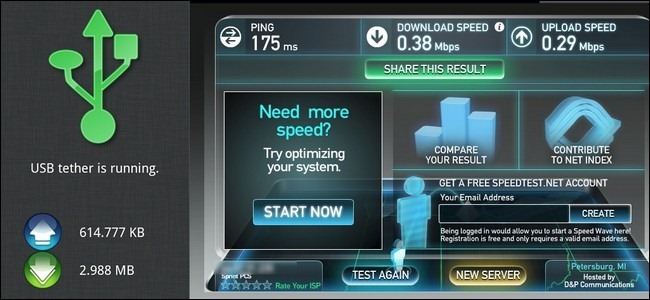
At this point the USB logo on both the Tether desktop app and the Tether Android app should be green like so:

And that’s it! You’re connected to the internet via your Android phone. No more hunting for Wi-Fi nodes, you’ve got a easy to use tether right in your pocket.
Troubleshooting Your Tether Installation
Although we had a painless Tether installation, it’s still an Alpha release app. We’ve rounded up some solutions to common problems here.First, when in doubt, restart both your computer and phone. Second, use the task manager to kill all instances of tether.exe and node.exe before restarting the tether.exe—some users report that the first time they run Tether it doesn’t work but after killing the process and starting it again everything is fine.
Getting a DUN Null error? Make sure you’ve uninstalled PDAnet—double check even if you think it’s not installed, maybe you tested it out years ago and forgot.
Connection hangs between phone and computer? Make sure your USB drivers are up to date. It’s possible to have just-good-enough older drivers that get the phone and computer talking but fail to completely connect the two together.
Installation failed? Run it again as administrator and make sure to approve the driver requests it makes.
From : how to geek
Comments
Post a Comment
I couldn't give up now.